

IPTV Player Setup Guide:
How to Stream Like a Pro in 2025
Looking for the best IPTV player to watch live TV and VOD on your device? You’re in the right place. This complete guide shows you how to install and set up IPTV players like IPTV Smarters, TiviMate, VLC, and other top apps on Firestick, Android TV, iPhone, Smart TVs, and PC. Whether you’re new to IPTV or already using it, we’ll help you get started in just a few minutes.
✅ All these players work perfectly with our IPTV service — fast, stable, and compatible worldwide.

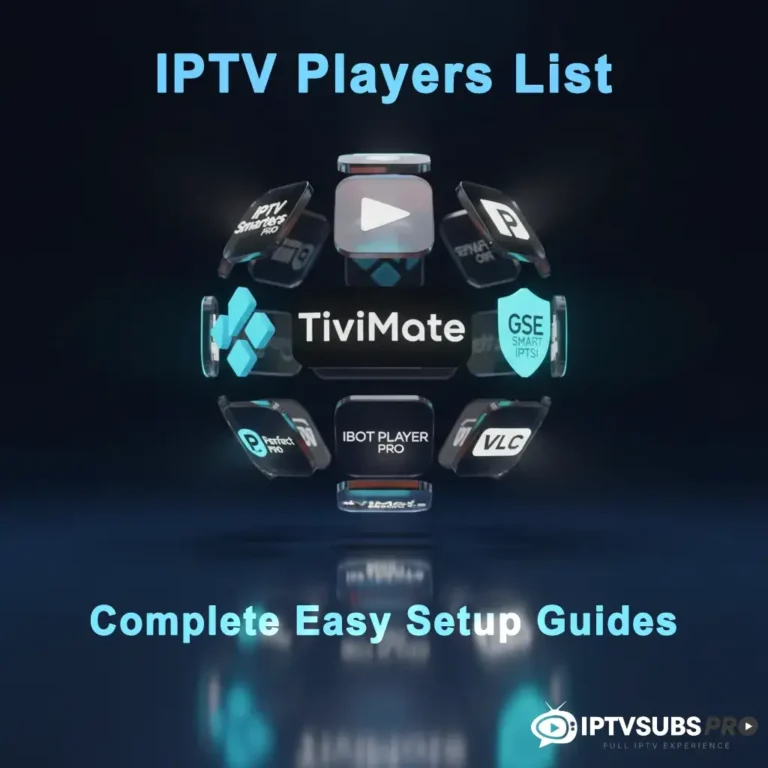
Why Choose the Right IPTV Player?
Streaming live TV, movies, and on-demand content through an IPTV Player has revolutionized how we consume entertainment. With global search interest for IPTV players soaring, it’s clear that users are looking for reliable, user-friendly solutions to access IPTV services. Whether you’re a cord-cutter or a streaming enthusiast, selecting the right IPTV player and setting it up correctly can make all the difference.
Streaming live TV, movies, and on-demand content through an IPTV Player has revolutionized how we consume entertainment. Whether you’re a cord-cutter or a streaming enthusiast, selecting the right IPTV player and setting it up correctly can make all the difference.
Experience IPTV Like Never Before. Smooth, Fast & Reliable
Rated 4.8 on Trustpilot ⭐⭐⭐⭐⭐
Tired of Buffering? Switch to IPTV Subs Pro today, and watch live sports, movies, and TV without interruptions anywhere, anytime.
Popular IPTV Players Complete Setup Guide 👇
Everything You Need to Set Up Your Favorite IPTV Player
No more stress for the best way to stream your IPTV subscription? We’ve put together easy step-by-step setup guides for the most popular IPTV players and smart TV apps. Just pick your player below to learn how to install, activate, and start watching in minutes.
IBO Player Pro
IPTV Smarters Pro

TiviMate
Kodi App

Hot Player
Smart IPTV

VLC Player
GSE IPTV Player
🎯 Key Takeaways of IPTV Players Setup Guide
- ✅ IPTV Player Essentials: Software for streaming live TV and on-demand via internet; pair with IPTVSubsPro.com subscriptions for 35,000+ channels.
- ✅ Top Picks: IPTV Smarters Player (beginner-friendly), TiviMate and Ibo Player (Firestick favorite with EPG), IPTV Smart Player (lightweight), VLC (free basic option).
- ✅ Simple Setup: Install on Firestick/Android/iOS using M3U or Xtream Codes; sideload on Firestick via Downloader app.
- ✅ Common Answers: Best overall: TiviMate; for Firestick: IPTV Smarters; download on Firestick by enabling unknown sources; stream on VLC via network URL.
- ✅ Tips & Fixes: Have 10+ Mbps internet; troubleshoot buffering with updates and support from IPTVSubsPro.
- Choose IPTVSubsPro: Affordable plans, 24/7 help, global content—sign up for instant access and bonuses.
Table of Contents
What is an IPTV Player?
An IPTV Player is a software application that allows you to stream Internet Protocol Television (IPTV) content, such as live TV channels, movies, and shows, delivered over the internet. Unlike traditional cable or satellite TV, IPTV uses your internet connection to provide access to thousands of channels worldwide. To enjoy IPTV, you need two things: a reliable IPTV subscription (like those offered by IPTVSubsPro.com) and a compatible IPTV player to access and organize your content.
IPTV players act as the interface between your subscription and your device, offering features like channel lists, electronic program guides (EPG), and on-demand playback. Popular players include IPTV Smarters Player, IBO PLayer pro, TiviMate IPTV Player, and even versatile media players like VLC Player for IPTV streaming.
Why Use an IPTV Players?
Using an IPTV Players offers several advantages:
- Flexibility: Stream on multiple devices, including Firestick, Smart TVs, Android, iOS, and PCs.
- Customization: Organize channels, create favorites, and access EPGs for a personalized experience.
- Cost-Effective: Pair an IPTV player with an affordable subscription from IPTVSubsPro.com to save on cable bills.
- Global Access: Watch international channels, sports, and movies from anywhere with an internet connection.
With search terms like IPTV Smart Player (6.6K monthly searches) and IPTV Smarters Player (2.9K monthly searches) gaining traction, it’s clear users are seeking reliable players to enhance their streaming experience.
Best IPTV Players for 2025
Choosing the best IPTV player depends on your specific needs, device, and experience level. The top-tier options share several characteristics that make them stand out: seamless streaming performance, broad device compatibility, intuitive user interfaces, and robust support for M3U playlists and EPG (Electronic Program Guide).
A quality IPTV player should deliver stable, buffer-free streaming even during peak usage times. It should support various playlist formats and update frequently to maintain compatibility with current streaming standards. The interface should be easy to navigate for beginners while offering advanced features for power users. Customer support and regular updates are critical indicators of a player’s long-term viability.
Whether you prioritize affordability, advanced features, or cross-platform support, there’s an IPTV player designed for your use case. The following sections break down specific scenarios to help you identify the best option for your situation.
How to Choose the Best IPTV Player for Your Device
Not all IPTV players are equal. The best option depends on your device, your preferences, and how much control you want over your viewing experience.
Here are some key things to consider:
- Device Compatibility: Make sure the app works on your Firestick, Android TV, Smart TV, iPhone, or computer.
- User Interface: Some players are very simple, while others have advanced menus and EPG support.
- Features: Look for options like subtitles, multiple playlist support, favorites, and recording.
- Stability: A good IPTV player should be fast, responsive, and free of lag.
- Updates & Support: Popular players are updated frequently, which means better security and performance.
💡 Best IPTV Player for Firestick: IPTV Smarters, Ibo player pro and TiviMate are top picks.
💡 Best IPTV Player for PC: VLC is lightweight, powerful, and easy to use.
💡 Best IPTV Player for iPhone/iPad: GSE Smart IPTV offers great compatibility.
Best IPTV Player for Firestick
When it comes to Firestick, three players dominate the market: IPTV Smarters Pro, TiviMate, and Ibo Player Pro. Each excels on Amazon’s Fire TV platform with optimized performance, quick load times, and reliable streaming.
IPTV Smarters Pro remains the most popular choice for Firestick users due to its polished interface, seamless performance, and support for advanced features like catchup and recording. It’s beginner-friendly yet powerful enough for experienced users.
Ibo Player Pro is a premium option specifically optimized for Firestick, delivering exceptional performance and a refined user experience. It’s an excellent choice for users willing to invest in a premium solution.
TiviMate appeals to users who want deeper customization options and more control over their streaming experience. Its interface is highly configurable, allowing users to arrange channels exactly how they prefer.
All three install quickly from the Amazon Appstore, support M3U playlists, and offer responsive customer support. The installation process is straightforward on any Fire TV device. For detailed setup instructions specific to your Firestick model, check our complete Firestick setup guide.
Best Player for Smart TVs
Smart TV users have different requirements than Firestick or Android users since many modern TVs have built-in apps and limited third-party app support. Several players cater specifically to Smart TV platforms.
Native Smart TV Apps: Samsung Smart TV and LG webOS users can download dedicated IPTV apps directly from their TV’s app store. GSE Smart IPTV and IPTV Smarters Pro both offer native Smart TV versions with interface elements optimized for television screens.
Android TV Options: Devices running Android TV (Sony Bravia, Philips, TCL) can use any Android player including TiviMate, Ibo Player Pro, and Perfect Player.
Key Considerations for Smart TV: Smart TV IPTV players need efficient network performance to stream cleanly on large screens. The interface should display clearly on television from 6-10 feet away. Many Smart TV users appreciate built-in EPG functionality directly on their remote without navigating complex menus.
Network requirements: Ensure your home WiFi or wired connection is stable with minimum 10 Mbps for smooth 1080p streaming and 25+ Mbps for 4K content.
Ibo Player Pro – Premium Option for Firestick
Ibo Player Pro stands out as a premium IPTV solution optimized specifically for Firestick and other Fire TV devices. It combines professional-grade features with an elegant, intuitive interface that sets it apart from competitors.
Key Features:
- Advanced EPG with extended program information
- Catchup and recording capabilities for timeshifting
- Cloud sync across multiple devices
- Excellent video codec support
- Smooth performance even with large channel lists
- Regular updates and active community support
Why Firestick Users Prefer It: Fire TV hardware works particularly well with Ibo Player Pro’s architecture, resulting in faster navigation and more responsive controls. The player handles 4K content smoothly and manages bandwidth intelligently to minimize buffering.
Pricing & Subscription: Ibo Player Pro operates on a subscription model. Monthly and annual plans are available with various feature tiers. The investment is worthwhile for users who stream daily and value a premium experience.
When to Choose Ibo Player Pro: Select Ibo Player Pro if you want a dedicated premium experience on Firestick, prioritize advanced features like recording and catchup, or prefer a player with professional support and frequent updates. It’s ideal for serious streamers who don’t mind paying for quality.
For step-by-step installation and configuration instructions, see our full Ibo Player Pro setup guide.
Troubleshooting Common IPTV Player Issues
Encountering issues with your Player? Here are solutions to common problems:
- App not loading: Clear cache, restart device, or reinstall the app.
- Buffering or freezing: Ensure a stable internet connection (at least 10 Mbps for HD streaming). Switch to a lower video quality if needed.
- Playlist Not Working: Verify your M3U URL or Xtream Codes with IPTVSubsPro.com support.
- App Crashes: Update the app or reinstall it. For Firestick, clear the app cache via Settings > Applications > Manage Installed Applications.
Still stuck? Contact our support team on WhatsApp for fast help.
Conlusion :
Start Streaming with the Best IPTV Player Today
Setting up an IPTV Player is your gateway to endless entertainment. Whether you choose IPTV Smarters Player, Ibo Player pro, TiviMate, or IPTV Smart Player, this guide has you covered for a seamless setup on Firestick, Android, iOS, or Smart TVs. With IPTVSubsPro.com, you get a reliable, affordable IPTV subscription to power your player with thousands of channels and on-demand content.
💡Ready to stream like a pro?
✅ At IPTVSubsPro.com, we make streaming easy with:
- Competitive Pricing: Affordable plans for all budgets.
- Global Content: Thousands of channels, including sports, movies, and international TV.
- Reliable Support: 24/7 assistance for setup and troubleshooting.
- Compatibility: Works with all major IPTV players, including IPTV Smarters Player, TiviMate, and IPTV Smart Player.
Ready to elevate your streaming? Sign up today and get your IPTV subscription with instant access to your playlist.
Frequently Asked Questions About IPTV Players
What is the best IPTV player?
The best IPTV player depends on your device. IPTV Smarters, IBO Player Pro and TiviMate are excellent for Firestick and Android, VLC is great for PC, and GSE Smart IPTV is ideal for iOS users.
What is the Best Player for IPTV?
The best player depends on your device and preferences, but TiviMate and Ibo player pro are highly rated for their versatility.
Can I use VLC as an IPTV player?
es, VLC can play IPTV streams by entering your M3U playlist URL in the “Open Network Stream” function. However, VLC lacks dedicated IPTV features like built-in EPG, catchup functionality, and optimized channel management.
How to watch IPTV on VLC Player?
Open VLC, go to Media > Open Network Stream, paste your M3U link, and hit play. VLC will automatically load your playlist.
How do I add streams to my IPTV player?
Most IPTV players accept M3U playlist links. Access your player’s settings or playlist menu, locate “Add Playlist” or similar option, paste your M3U URL, and confirm. Your channels load automatically within moments.
How to download IPTV Stream Player on Firestick?
You can download IPTV Stream Player from the Amazon App Store or sideload it using Downloader. Once installed, simply paste your M3U URL.
Why is my IPTV player buffering constantly?
Common causes include weak internet connection (under 5 Mbps for HD streaming), server overload during peak hours, incompatible stream quality for your connection, or player compatibility issues with specific stream formats. Solutions: test your connection speed, switch to lower bitrate streams, try a different player, or contact your stream provider for technical support.
Do I need a VPN to use IPTV players?
While not strictly required, a VPN adds privacy to your streaming and can help access geo-restricted content. However, VPNs may reduce streaming speed and some streams block VPN connections. Use a VPN if you’re concerned about privacy or to access region-locked content.