
IPTV Player Setup Guide
How to Stream Like a Pro in 2026
Looking for the best IPTV player to stream live TV and 4K VOD on any device? This complete guide shows you how to install and set up IPTV players for your MY IPTV Subs subscription. Whether you are on Firestick, Smart TV, Android, iPhone, or PC, we have the right IPTV app to get you streaming in minutes.
Get My IPTV Subscription →
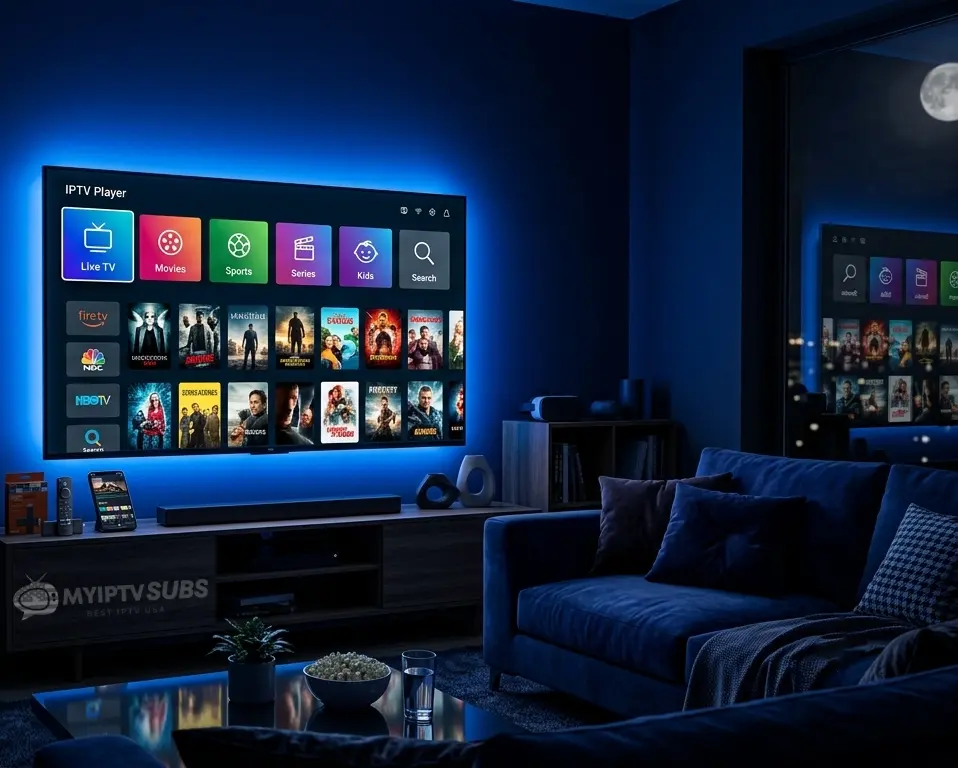
- An IPTV player app is required to use your IPTV USA subscription on any device
- IBPro Smart Player is the best IPTV player for Firestick and top pick for Android TV users in 2026
- Hot Player Pro is the best IPTV player for iOS and included free with the 12 month IPTV USA plan
- TiviMate is the best IPTV player for Android TV boxes and Nvidia Shield power users
- IPTV Smarters Pro is the best cross-platform IPTV app covering Android, iOS, Windows and Mac
- Buy IPTV player free with the 12 month IPTV USA subscription: choose IBPro, IBO Player, or Hot Player Pro
- All IPTV USA players support M3U and Xtream Codes so your MY IPTV Subs credentials work on every app
- Setup takes under 5 minutes with free 24/7 support from MY IPTV Subs via WhatsApp and live chat
Get 14 Months of IPTV USA
Including Free Hot Player Pro
Your IPTV player is included free with our 12 month plan. Stream 35,000+ live channels in 4K on any device, activated in minutes.
Popular IPTV Players for Your IPTV USA Subscription
We have tested every major IPTV player app with MY IPTV Subs credentials in 2026. Here is our complete breakdown of each app, features, best use case, device compatibility, and setup method, so you can find the best IPTV player for your device and subscription.

What is an IPTV Player?
An IPTV player is a software application that connects your IPTV USA subscription credentials to a live stream of channels and on-demand content. Without an IPTV player app, your subscription credentials have nowhere to go, the player is the interface between your login details and the content you want to watch.
When you purchase an IPTV subscription, you receive a username, password, and either an M3U URL or a portal address from your provider. You enter these credentials into your chosen IPTV player app and it uses them to pull your full channel list, Electronic Program Guide (EPG), VOD library, and catch-up TV content directly to your screen.
IPTV players are available for every major device and operating system, Android, iOS, Windows, Mac, Smart TV, Amazon Firestick, MAG boxes, and more. Different players have different strengths, interfaces, and feature sets, which is why choosing the right IPTV app for your device and viewing habits matters.
Why Use a Dedicated IPTV Player App?
A dedicated IPTV player app gives you a far better streaming experience than trying to play an M3U stream directly through a media player or browser. Here is what a quality IPTV player app gives you that a basic media player cannot:
- Full EPG (Electronic Program Guide): see what is on now, what is coming next, and schedule your viewing across all channels
- Catch-up TV integration: access the 5-day catch-up window from MY IPTV Subs directly within the app interface
- Favorites and categories: organize your most-watched channels for quick access without scrolling through 35,000+ entries
- Multi-connection support: manage multiple IPTV USA subscription profiles in a single app
- Parental controls: lock adult content categories with a PIN for family households
- Automatic stream quality switching: the best IPTV player apps adapt your stream quality automatically based on your internet speed
- Anti-buffering optimization: dedicated IPTV apps are built to handle live stream protocols more efficiently than general media players
How to Choose the Best IPTV Player for Your Subscription
With several quality IPTV player apps available in 2026, the right choice depends on your device, your technical comfort level, and the features you use most. Here are the key factors to consider before choosing your IPTV app:
Device compatibility
Not all IPTV players are available on all devices. Some are Android-only, some are iOS-only, and some are cross-platform. Always check that your chosen IPTV player supports your specific device before downloading. The guide below covers device compatibility for each player in detail.
M3U and Xtream Codes support
Your MY IPTV Subs credentials include both an M3U URL and Xtream Codes login. Most quality IPTV players support both methods. If your chosen app only supports one method, make sure it matches the format in your credentials email. Both work identically in terms of content access.
EPG quality
A good Electronic Program Guide makes a significant difference to your daily viewing experience. The best IPTV players update their EPG automatically and display guide information clearly across all 35,000+ channels in your IPTV channel list.
Interface and ease of use
Some IPTV players are designed for power users with advanced customization, while others prioritize simplicity. If you are setting up IPTV for a family member or non-technical user, a cleaner interface like Hot Player Pro or IBO Player Pro is easier to navigate than TiviMate’s advanced feature set.
Free vs paid apps
Most IPTV player apps offer a free version with limited features and a paid premium version. Hot Player Pro is included free with all MY IPTV Subs 6 month and 12 month IPTV USA plans, making it the most cost-effective option for subscribers on those plans. IBO Player Pro requires a separate license purchase unless included with your subscription.
Support and updates
Choose an IPTV player app that is actively maintained with regular updates. Outdated apps can develop compatibility issues with newer device firmware and IPTV streaming protocols. All players covered in this guide are actively maintained as of 2026. For any setup questions, our 24/7 support team via WhatsApp and live chat covers all compatible IPTV player apps.
Best IPTV Player for Your IPTV USA Subscription
After testing all available IPTV player apps with MY IPTV Subs credentials, IBO Player Pro and Hot Player Pro are our top two recommendations for 2026. Here is why.
Our exclusive recommended IPTV player, included free with MY IPTV Subs 6 and 12 month plans. Optimized specifically for Anti-Freeze™ streaming technology, the smoothest IPTV experience for US subscribers.
- Free with 6 and 12 month IPTV USA plans ($25 value)
- Optimized for MY IPTV Subs Anti-Freeze™ technology
- Easiest interface, perfect for all experience levels
- Full EPG, catch-up, VOD, and parental controls
- Works on Smart TV, Firestick, Android, iPhone, PC and Mac
- Free setup assistance from MY IPTV USA Subs 24/7 support
The most popular IPTV player for Firestick and Android users. Fast channel zapping, excellent EPG, and seamless 4K playback. Available at iboplayer.pro and iboproapp.com.
- Best IPTV player for Firestick and Fire TV users
- Fastest channel switching of any IPTV app
- Full M3U and Xtream Codes support
- EPG, catch-up TV, VOD, and multi-profile support
- Works on Firestick, Android, Android TV, Smart TV, and Windows
- Setup in under 5 minutes with MY IPTV Subs credentials
Troubleshooting Common IPTV Player Issues
Even the best IPTV player can occasionally run into issues. Here are the most common problems MY IPTV Subs subscribers encounter with their IPTV player app, and how to fix them quickly. For issues not covered below, our 24/7 support team via WhatsApp and live chat resolves most problems within minutes.
Channels not loading or showing blank screen
This is almost always a credentials issue rather than a player problem. Double-check your username, password, and server URL exactly as they appear in your MY IPTV Subs credentials email. Pay attention to uppercase and lowercase letters, credentials are case-sensitive. If credentials are correct, try deleting the playlist in your app and re-adding it from scratch.
Buffering or freezing during streams
Buffering on a quality IPTV USA subscription is usually caused by one of three things: internet speed below the recommended minimum, a WiFi connection instead of wired Ethernet for 4K content, or a congested server during peak hours. Try these fixes in order:
- Switch from WiFi to a wired Ethernet connection if streaming in 4K
- Test your internet speed, you need at least 25 Mbps for 4K, 10 Mbps for HD
- Switch to a lower quality stream (Full HD instead of 4K) and check if buffering stops
- Try a different stream for the same channel — most channels have multiple server sources
- Restart your router and IPTV player app
- Contact MY IPTV Subs support via WhatsApp, our team can switch your account to a less congested server
EPG not loading or showing incorrect times
If your Electronic Program Guide is showing blank, outdated, or wrong-timezone information, go into your IPTV player settings and manually trigger an EPG refresh. In most apps this is under Settings, EPG Settings, or Guide. Also check that your device timezone is set correctly, EPG times display relative to your device’s system timezone, not a fixed timezone.
App crashes or freezes on startup
Clear the app’s cache and data from your device settings, then reopen the app. On Firestick go to Settings, Applications, Manage Installed Applications, select your IPTV app, and tap “Clear Cache” then “Clear Data.” This resolves most stability issues without losing your credentials or channel list.
Catch-up TV not working
Catch-up TV availability depends on both your IPTV player and the specific channel. Not all 35,000+ channels support catch-up, those that do will show a clock or rewind icon in your player. If catch-up is not working on a channel that previously showed it, contact MY IPTV Subs support as the catch-up source for that channel may need refreshing.
App not available on my device
Some IPTV player apps are not available in certain regional App Stores. For Firestick, enable “Apps from Unknown Sources” in Settings to sideload apps not in the Amazon App Store. For Smart TVs with limited app stores, the best alternative is to plug a Firestick or Android TV box into your TV’s HDMI port and use that for your IPTV player app. Our support team can advise on the best setup for any specific device.
Subscription plan not showing correct channels
If your channel list does not match the MY IPTV Subs channel list, first try refreshing or reloading your playlist in the app. If the issue persists, contact support, your account may need a server-side refresh to reflect the correct channel package.
Start Streaming with MY IPTV Subs Today
Ready to put your IPTV player to use? Here is everything you need to get your MY IPTV USA Subs subscription running on any device in under 10 minutes.
What you get with every MY IPTV Subs plan
- 35,000+ live IPTV channels from the USA, UK, Canada, and 50+ countries
- 180,000+ VOD movies, series, and documentaries
- 4K Ultra HD, Full HD, and HD streaming quality
- 5-day catch-up TV on thousands of channels
- Full EPG guide with daily updates
- Compatible with all IPTV players covered in this guide
- Instant activation, credentials by email and WhatsApp within 15 minutes
- 24/7 support via WhatsApp and live chat — free setup assistance included
- 7-day money-back guarantee on all plans
Choose your IPTV USA plan
- 1 Month IPTV USA — $14.95 (perfect for first-time subscribers)
- 3 Month IPTV USA — $35.95 (under $12 per month)
- 6 Month IPTV USA — $46.95 (2 months free + Hot Player Pro included)
- 12 Month IPTV USA — $70.95 (2 months free + Hot Player Pro + $5.07/mo)
Not sure yet? Try it first, no payment or credit card required. Or check our complete IPTV USA FAQs for answers before you subscribe.
Frequently Asked Questions About IPTV Players
What is the best IPTV player for Firestick in 2026?
IBO Player Pro is the best IPTV player for Firestick in 2026, offering fast channel switching, full EPG support, and reliable 4K playback on all Firestick and Fire TV models. Hot Player Pro is the best IPTV player for Firestick if you are a MY IPTV Subs subscriber on a 6 or 12 month plan, since it is included free and specifically optimized for our Anti-Freeze™ streaming technology.
Do I need to pay for an IPTV player app separately?
It depends on the app. Some IPTV player apps are free with basic features and offer a paid premium version. Hot Player Pro is included free with MY IPTV Subs 6 and 12 month plans, so subscribers on those plans pay nothing extra. IBO Player Pro and TiviMate require separate license purchases. IPTV Smarters Pro and GSE Smart IPTV are free to download with optional paid upgrades.
What is the best IPTV app for iPhone and iPad in 2026?
GSE Smart IPTV is the top-rated IPTV app for iPhone and iPad in 2026, consistently the highest-rated IPTV player on the iOS App Store. IBO Player (iboplayer.com) is a good alternative if you prefer the IBO interface. IPTV Smarters Pro is also available on iOS and works well for users who stream across Android and iOS devices.
Can I use multiple IPTV player apps with one subscription?
Yes. Your MY IPTV Subs credentials work with any compatible IPTV player app. You can install different apps on different devices and use the same username, password, and M3U URL across all of them. Your number of simultaneous streams is limited by your subscription plan, standard plans include 1 connection, multi-screen plans include 2 simultaneous connections.
What is the difference between M3U and Xtream Codes login?
M3U is a playlist file format — you paste your M3U URL into your IPTV player app and it loads all your channels from that URL. Xtream Codes is an API login method using a username, password, and server URL. Both give you access to the same channels, VOD, and catch-up content from your MY IPTV Subs subscription. The difference is in how the app connects to the server. Most IPTV player apps support both and your credentials email includes both options.
Is TiviMate free?
TiviMate has a free version with basic functionality and a premium subscription (TiviMate Premium) that unlocks recording, multiple playlists, EPG auto-updates, and advanced customization features. For the full TiviMate experience with a MY IPTV Subs subscription, TiviMate Premium is recommended. It is available as a monthly, 6 month, or annual subscription within the app.
Can I use my IPTV player on a Smart TV without a Firestick?
Yes. Samsung and LG Smart TVs can use Smart IPTV directly from their respective app stores without any additional hardware. Android TV-based Smart TVs from Sony, Philips, and others can use IBO Player Pro, TiviMate, and IPTV Smarters Pro directly. For Samsung and LG TVs that do not support other IPTV apps natively, a Firestick or Android TV box plugged into the HDMI port is the simplest solution.
Why is my IPTV player showing no channels after setup?
The most common cause is incorrect credentials. Double-check your username, password, and server URL exactly as they appear in your MY IPTV Subs credentials email, ensuring no extra spaces or characters were accidentally added. If credentials are correct, delete the playlist and re-add it. If the issue persists, contact our 24/7 support team via WhatsApp and we will fix it immediately.
Which IPTV player is best for a Smart TV running Android TV?
TiviMate is the best IPTV player for Android TV-based Smart TVs, offering the most feature-rich experience with a TV-optimized interface. IBO Player Pro and IPTV Smarters Pro are excellent alternatives that are simpler to set up. Hot Player Pro also works on Android TV and is included free with MY IPTV Subs 6 and 12 month plans.
Can I use an IPTV player with an IPTV Canada or IPTV UK subscription?
Yes. All IPTV player apps covered in this guide work identically with IPTV Canada and IPTV UK subscriptions from MY IPTV Subs. Your credentials, M3U URL, and Xtream Codes login are the same regardless of which regional content package you subscribe to. Simply enter your credentials into your preferred IPTV player app and all regional channels load automatically.
How do I update my channel list in my IPTV player?
In most IPTV player apps, go to Settings or the Playlist management section and select “Refresh” or “Update” to pull the latest channel list from the MY IPTV Subs server. Many apps also have an auto-update option that refreshes the channel list daily. This ensures you always have access to the most current channel additions without manually re-entering your credentials.
What internet speed do I need for 4K IPTV streaming?
For smooth 4K IPTV streaming through any of the apps in this guide, we recommend a minimum of 25 Mbps. For Full HD content, 15 to 20 Mbps is sufficient. For HD streams, 10 Mbps is the minimum. Our Anti-Freeze™ technology in MY IPTV Subs automatically adjusts stream quality to match your available bandwidth, so even on slower connections you get the best possible picture without buffering.